Tasked with improving course completion rates that were below the 90% target, I led research analyzing 3,000+ user feedback entries and conducted 11 in-depth interviews to understand learning barriers. The research revealed that rigid video playback limited learner's flexibility in managing their study time. An improved video player with smart navigation and flexible playback controls was designed, leading to a 18% increase in course completion rates and higher user satisfaction
Context
In mid-2024, our e-learning platform faced a critical challenge: course completion rates were significantly below our target of 90%. As learners dropped out early in their courses, we knew we needed to understand why and how we could help them succeed. I was brought in as a UX Researcher and Designer to investigate the problem and develop a solution that would help our learners achieve their goals.
Understanding The Problem
We conducted a mixed-methods research approach, collecting quantitative and qualitative data simultaneously to obtain a comprehensive understanding of user behavior
Quantitative
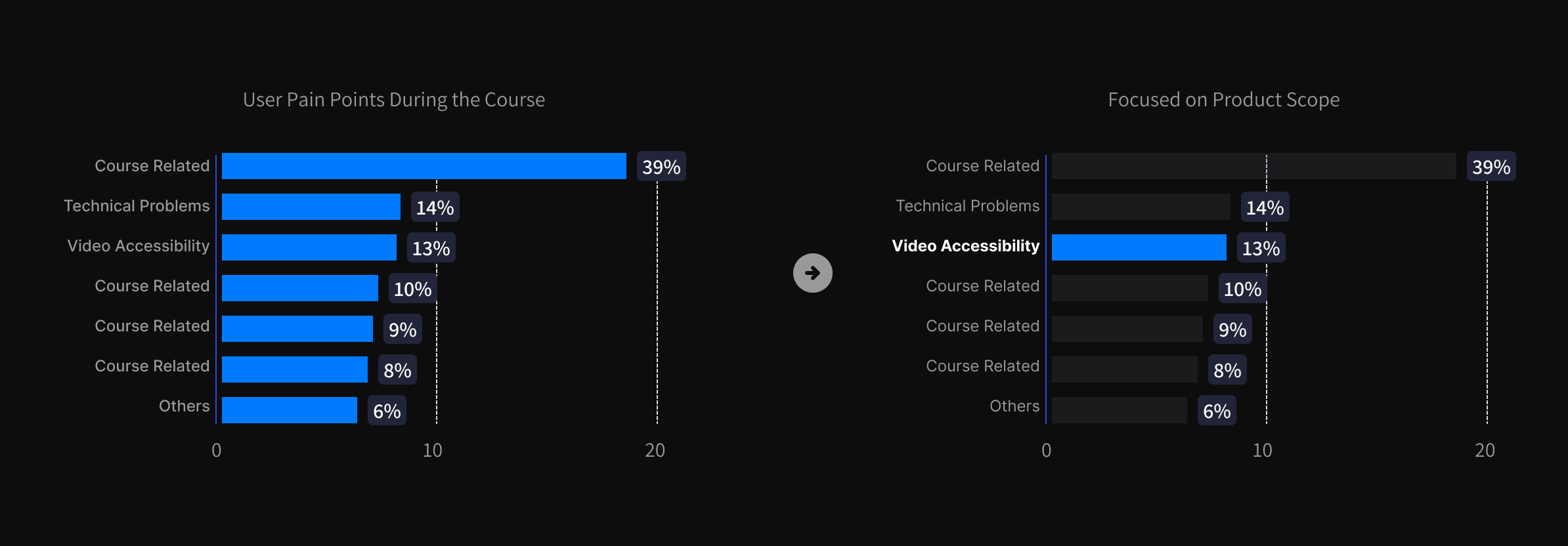
We began by diving deep into our platform data, analyzing over 3,000 user feedback entries. This quantitative analysis revealed something interesting: while course content quality was important, technical issues were creating significant barriers to learning.
Since video accessibility falls within the product team’s scope, we prioritized this area for solution exploration. Course quality concerns were directed to the academic team, while technical issues were assigned to the tech team.
Qualitative
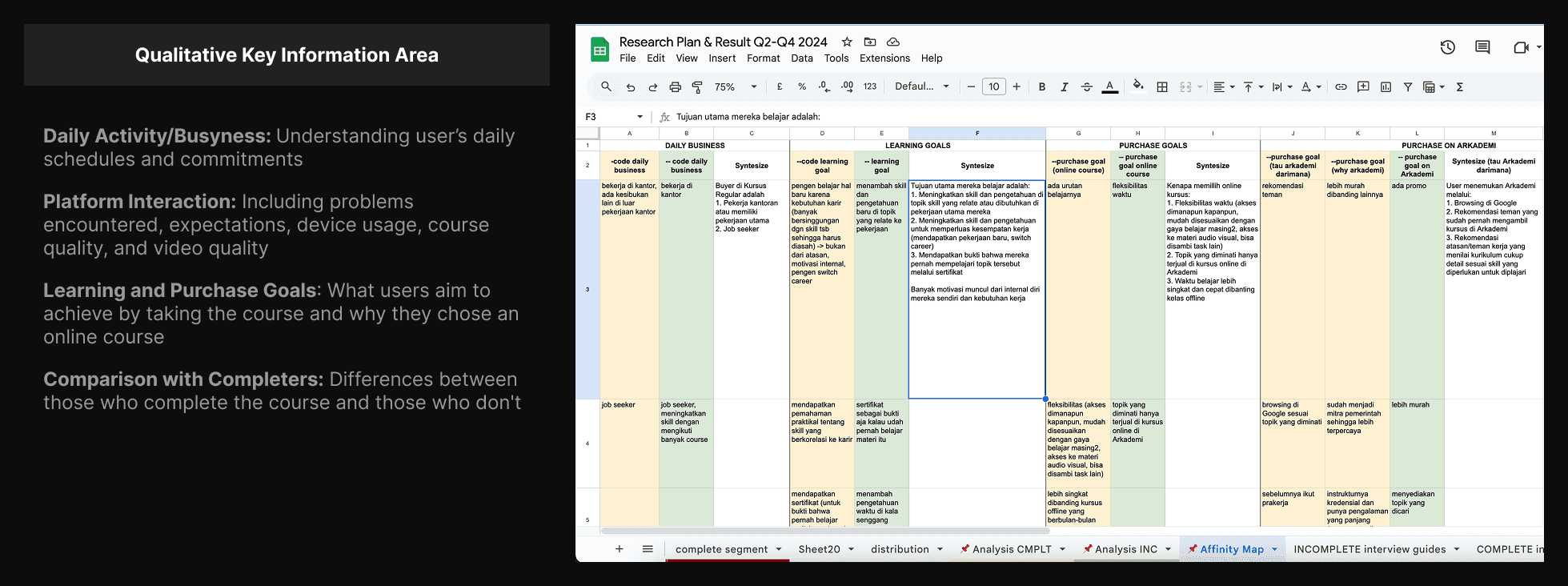
To better understand these barriers, we conducted interviews with 11 learners, carefully selected to represent both successful completers and those who struggled to finish their courses. Through these conversations, a clear pattern emerged.
Key Discoveries
Our learners weren't just sitting at desks, focused solely on their courses. They were:
Studying during lunch breaks
Learning while commuting
Multitasking with household chores
Trying to fit learning into busy schedules
The existing video player wasn't supporting these real-world learning scenarios. Learners couldn't easily:
Control playback speed for different content types
Resume where they left off after interruptions
Navigate quickly to specific parts of lessons
Learn effectively while multitasking
Problem Statement
After synthesizing all the research data, the core problem became clear:
Our video player wasn't designed for the way people actually learn in the real world. The rigid playback experience was forcing learners to adapt to the technology, rather than having the technology support their natural learning patterns.
Supported with qualitative research findings indicating that learners value flexibility and accessibility in their learning experiences. Thus, video-related barriers disrupt their learning flow, making it difficult for them to complete the course.
Designing Solution
The Design Process
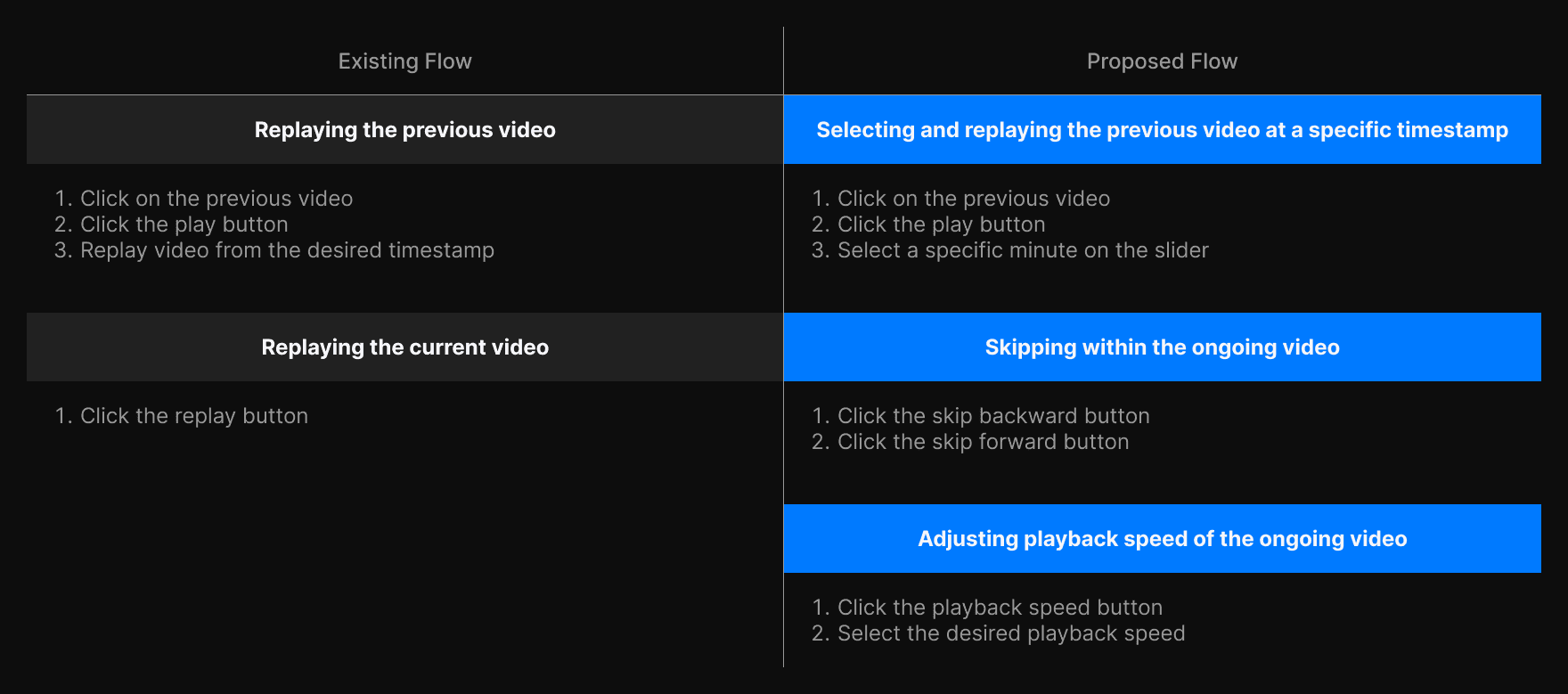
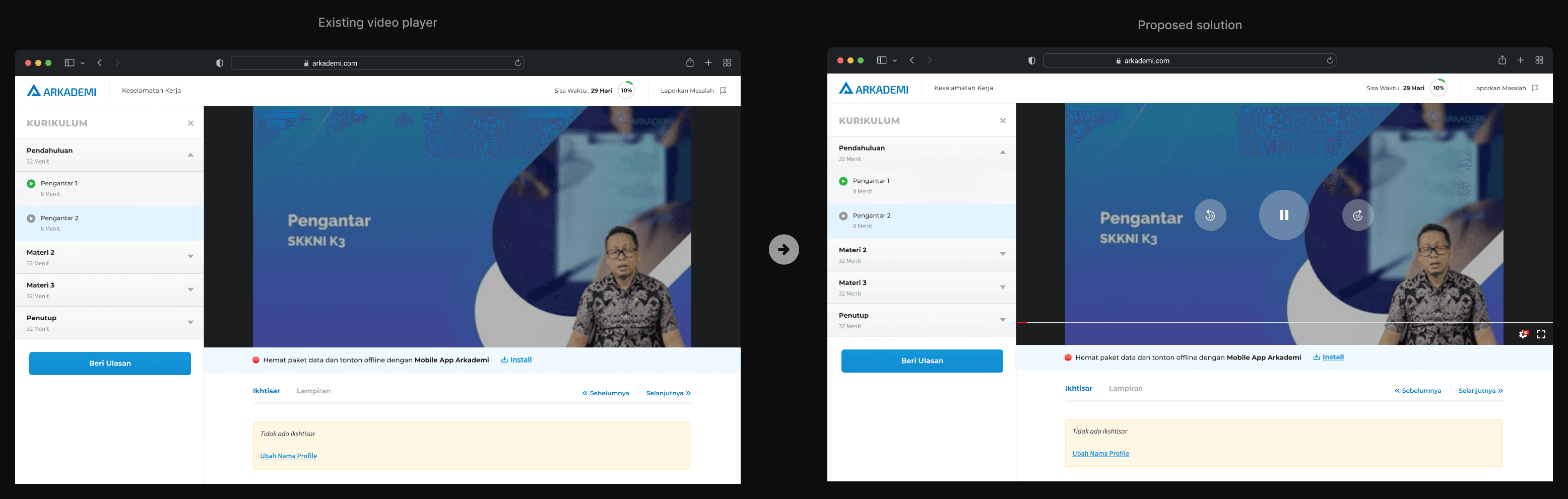
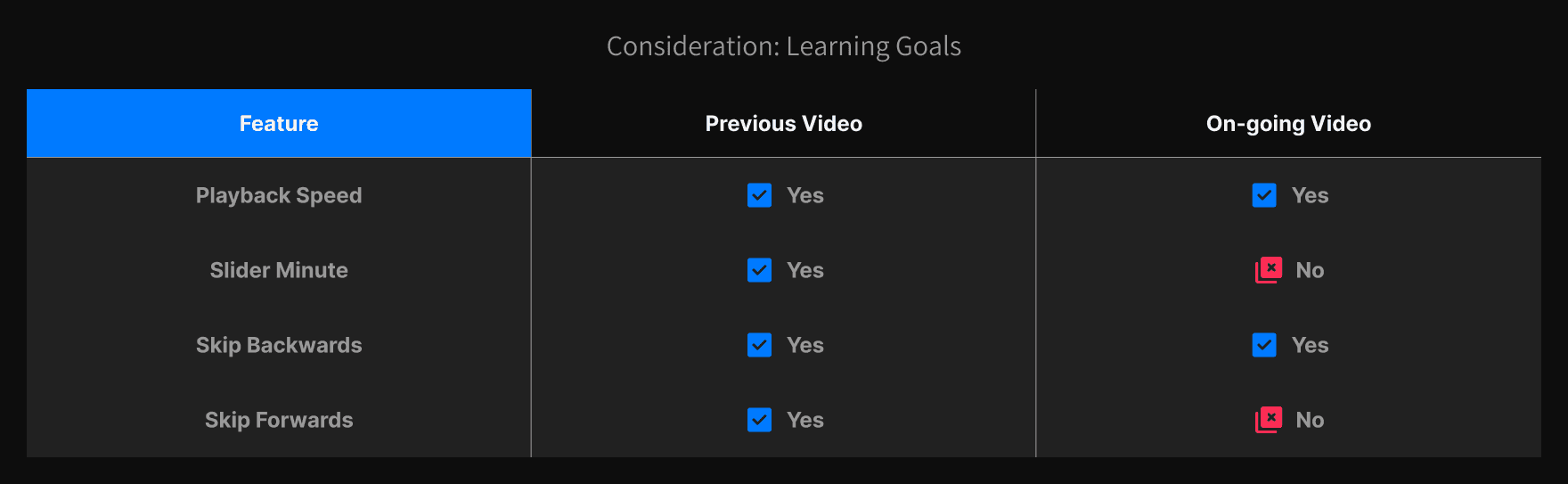
We designed an enhanced video player that put learner's needs first. The new design included:
Flexible Playback Controls
Speed adjustment for different learning paces
Smart progress saving for interrupted sessions
Quick navigation for content review
Learning-Focused Features
5-second skip buttons for quick review
Interactive time slider for precise navigation
Validation and Refinement
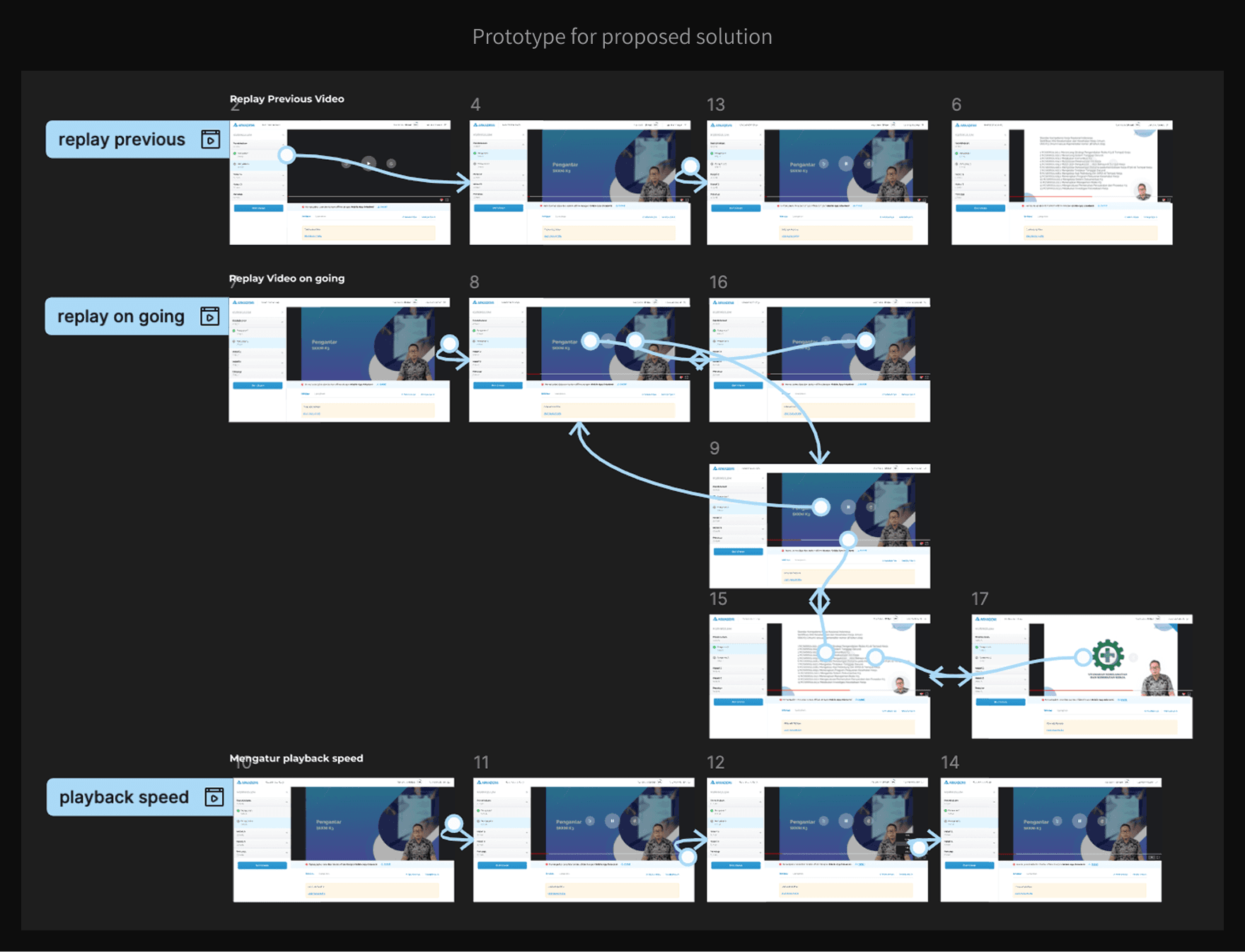
Before full implementation, we conducted usability testing with both current and potential users. Their feedback helped us refine the controls and ensure the new features truly supported their learning needs
Impact
Course completion rates increased by 18% for 3 months after solution implemented
Support tickets related to video playback dropped significantly